
It’s 8:15, and the first patient is due at half past. Before the coffee has cooled, someone at the front desk opens the dashboard to see who is coming in and what needs to happen first. That first look sets the tone for the day. If it takes three clicks to reach one patient, the morning starts behind. Release v5.21 focuses on those small daily moments, starting with the Aesthetic Clinic Dashboard.
An Aesthetic Clinic Dashboard That Gets You to the Patient Faster
The latest dashboard is becoming the standard in Clinicminds. It is now the only dashboard for new clinics, and we are preparing to retire the old one. If your team still switches back to the old view, this is a good moment to get comfortable with the new one and to tell us if something in your workflow doesn’t fit yet.
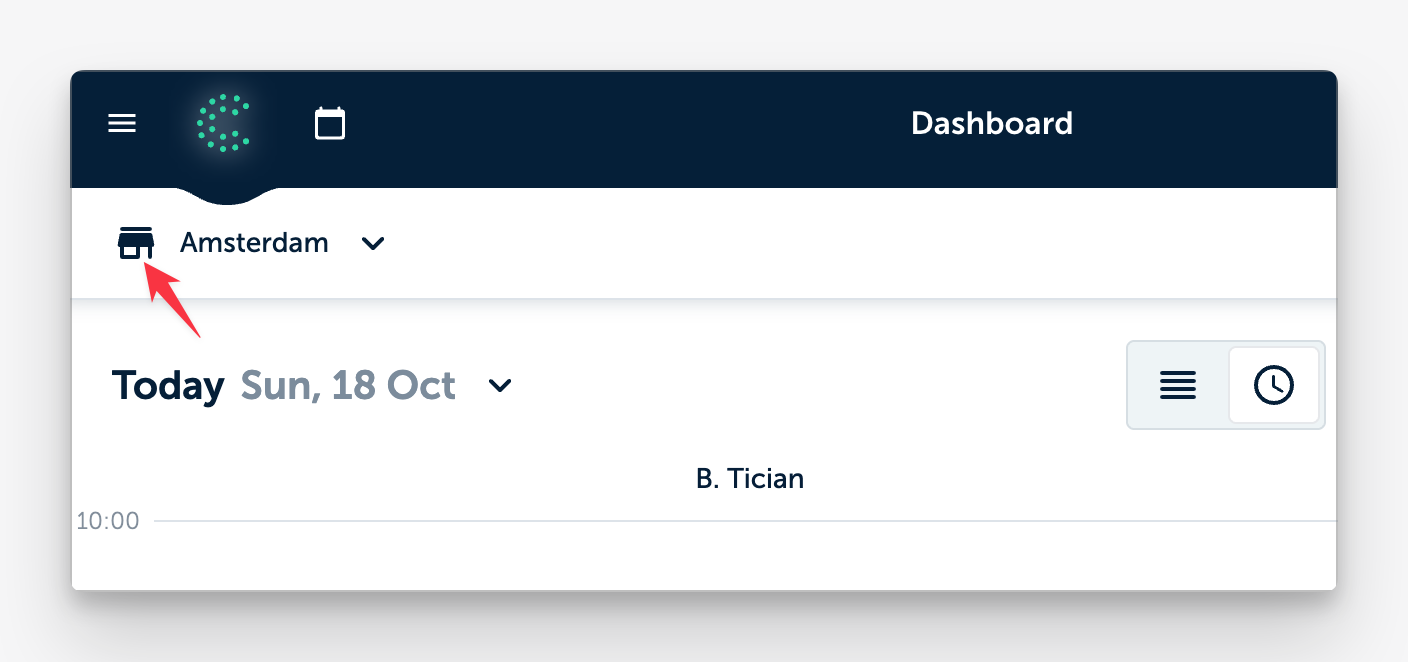
A small icon in the top left now shows whether you’re looking at a clinic location or an individual practitioner, so nobody has to guess whose day they’re seeing.
In the list view, every appointment has a button that opens the patient’s profile directly, without a detour through the appointment pop-up.
The button to edit the sidebar sections is easier to spot, and on wide screens the sidebar takes up less room, leaving more space for the day itself.
Clear Roles for Who Adds Products
In many clinics, the person who treats is not the person who handles sales. Until now, anyone who could register a payment or invoice in a treatment record could also add products to it.
From v5.21, adding products inside a treatment record follows the same permission as registering product sales. It is a small change that keeps sales in the hands of the people you choose.
Less Friction Around Appointments and Messages
Video consultations no longer have a strict 15-minute window before the start time, so you can open the meeting when it suits you and your patient.
When a specific treatment is linked to an appointment, confirmations and other messages now name that treatment instead of a broad service or category. For the patient reading it, that is simply clearer.
Booking someone from the waiting list now preselects them in the appointment form.
Secure, GDPR-compliant manual emails to patients can carry more attachments, with a clear message if you go over the limit.
Smaller Improvements Worth Knowing
After we rebuilt the drawing tool in v5.20, your feedback shaped a round of refinements. Colors have better contrast, the tool starts from the default each time you open it, and the drawing window opens higher on the screen, which helps on smaller devices.
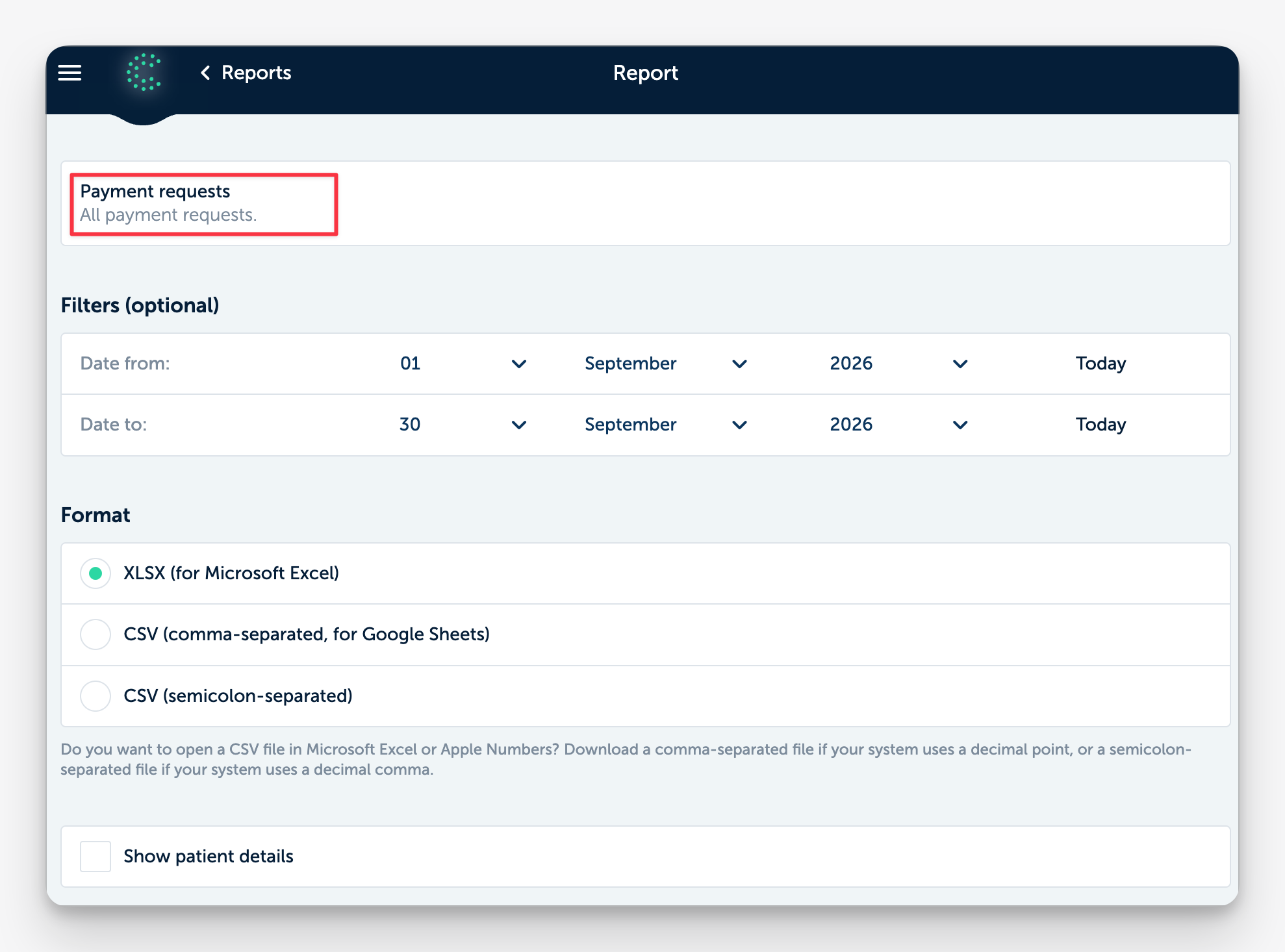
A new report lists all payment requests made from patients’ wallets with their status, so you can see which ones are still open.
Notifications about completed payment requests now go to the location’s own email address instead of the general clinic address.
For patients, forms scroll more smoothly between questions, pages such as forms and the online gift card store load faster, and some controls look better on iPhone and iPad.
The online scheduler has a clearer message when a patient forgets to fill in their sex or gender.
Stability and Fixes
This release also fixes several issues. Appointment times for future days now show correctly in the dashboard list view, and patient edits in the view and edit log are sorted by date.
On the iPad, a Quinn Smart Summary recording is no longer lost when you take a photo during the consultation, and signing a form draws a line instead of scrolling the page.
Prescriptions set to wait for a paid invoice now wait as intended, and questionnaire alert notifications only go out when they should.
Large accounts can download their complete SMS log, and returning to the task list from a patient’s profile no longer shows a white page.
Small Changes You Notice Every Day
None of this asks your team to learn a new way of working. It removes a click here, a moment of doubt there, and a few things that got in the way. Most changes work automatically.
Curious how the dashboard and the rest of Clinicminds would fit your clinic? Schedule a free demo, and we’ll show you around.