
Two moments define a lot of the daily work in an aesthetic clinic. The moment a practitioner documents a treatment, and the moment a patient books one. Version 5.20 improves both. Drawings in records are now faster and more flexible, and aesthetic clinic online booking loses several small frictions that used to cost you appointments.
Drawings That Keep Up With Your Hands
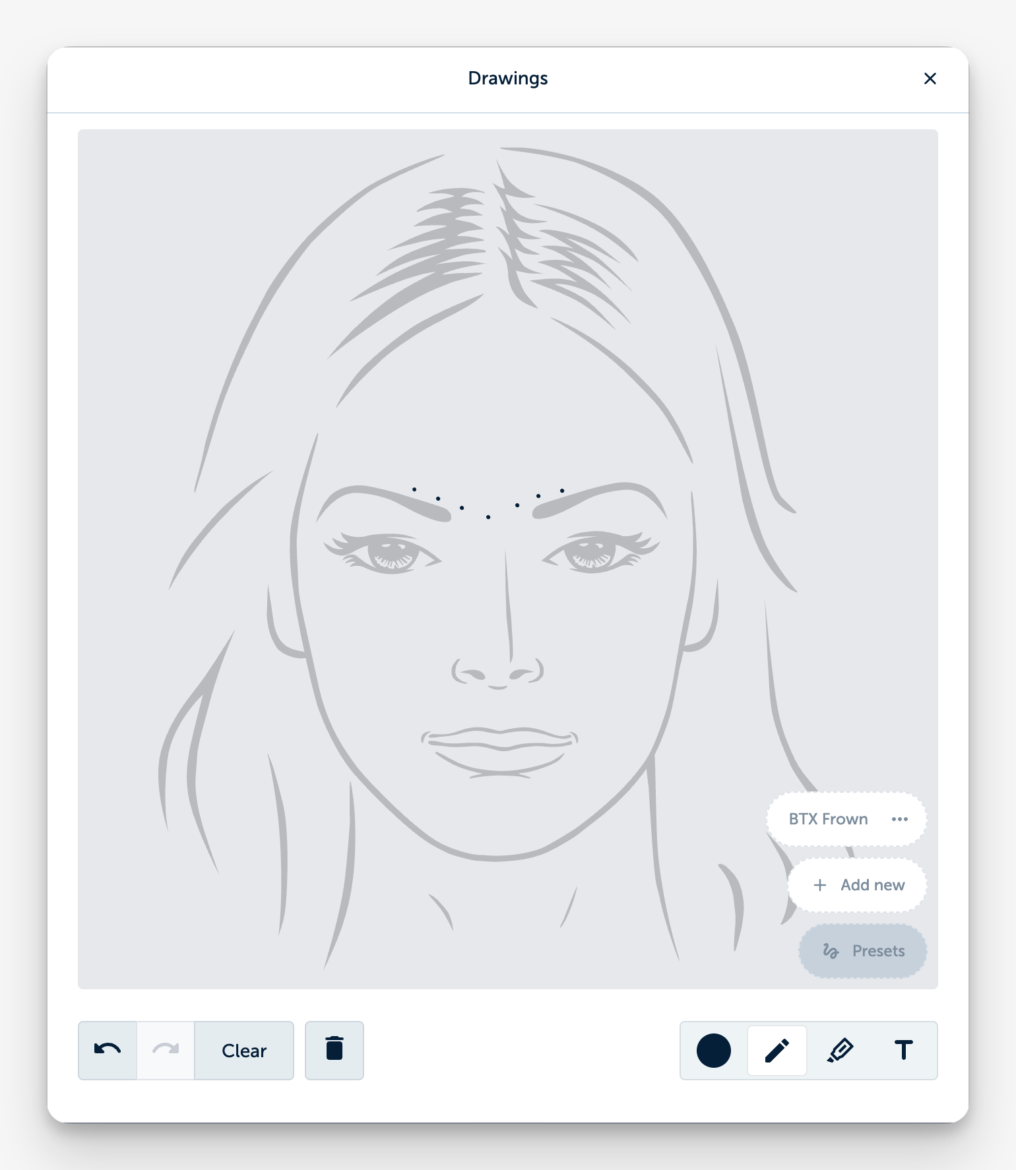
Treatment drawings are how practitioners capture what words describe poorly. Injection points, treatment areas, observations on a photo. In this release, we rebuilt the drawing tool from the ground up.
It now responds smoothly on all kinds of computers and tablets. We added a highlighter tool and more colors, so you can mark areas and annotate photos exactly the way you work. And photo drawings and template drawings now live on one screen. Everything you drew during a consultation or treatment sits in one place. For clinics that treat thorough consultation recording as the backbone of their practice, this makes the visual side of documentation just as fast as the written side.
Draw It Once, Reuse It Every Day
Many practitioners make the same base drawing several times a day. The same face template, the same marked zones, the same starting point. That repetition is now gone.
You can save template drawings as presets. Each practitioner builds presets for their own workflow, and users with the right permissions can create presets for the whole clinic. Open a record, pick your preset, and start where you would otherwise finish five minutes later.
Aesthetic Clinic Online Booking That Holds On to Patients
Every extra second and every failed step in the aesthetic clinic’s online booking process is a chance for a patient to give up. Version 5.20 removes several of those moments.
Patients booking a beauty treatment skip the appointment type screen entirely, since that choice was redundant. If a network issue interrupts the booking confirmation, the scheduler now automatically retries or lets the patient try again with one click. And verification got friendlier: patients who did not receive the initial SMS can now request a second SMS or a voice call, and they can do so after 20 seconds instead of waiting a full minute.
Small changes on their own. Together, they mean fewer patients dropping out at the finish line of a booking. We also added additional security measures to keep out spam bookings.
Smaller Improvements Worth Knowing
Code lists for insured healthcare in the Netherlands have been updated. The booking log now shows when a booking came in through the booking API. And you can now send feedback about Smart Summary even when it shows no suggestions, which helps us diagnose issues faster.
Stability and Fixes
This release also resolves three issues: older versions of consent forms could be shown in rare cases (fixed immediately after our previous update), patients could not view multiple read-only consent forms sent from home with an appointment confirmation, and deleted records remained in the trash for more than one month before permanent deletion.
Less Friction on Both Sides of the Clinic
Version 5.20 follows a simple idea. The practitioner should document faster, and the patient should book more easily. The last release brought your branding to every patient screen. This one makes sure patients actually reach those screens and that your team spends less time drawing the same template twice. Open a record and try the new drawing tool; it speaks for itself.